Getting More From Your AWE Learning Workstations
How libraries can use workstation information and usage statistics on the new Platinum Customer Portal to plan programs, communicate value, and make informed budget decisions.
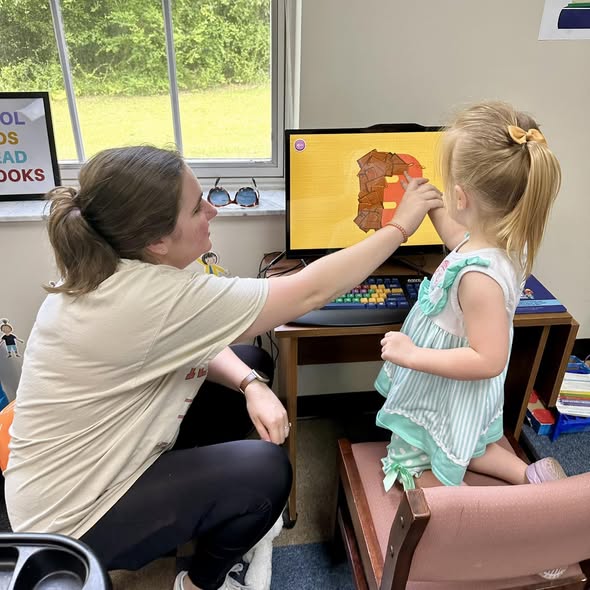
A child finishes an animal activity on an AWE Learning workstation, then asks where to find a book about the animal they just discovered. A caregiver sits down beside their child and asks how they solved a puzzle. Two children wait for a turn after school, even though the same workstation was open most of the morning.
Library staff see moments like these every day. Usage statistics can help put those observations into context. Is the after-school wait something staff see occasionally, or is it a regular part of the week? Are children drawn to one activity during a special program, or do they continue coming back to it afterward?
Answering even one of those questions with the new Platinum Customer Portal can give your team a practical next step. You might connect a popular activity with a book display, gather a clearer example for your next board update, or make a better case for replacing an older workstation.
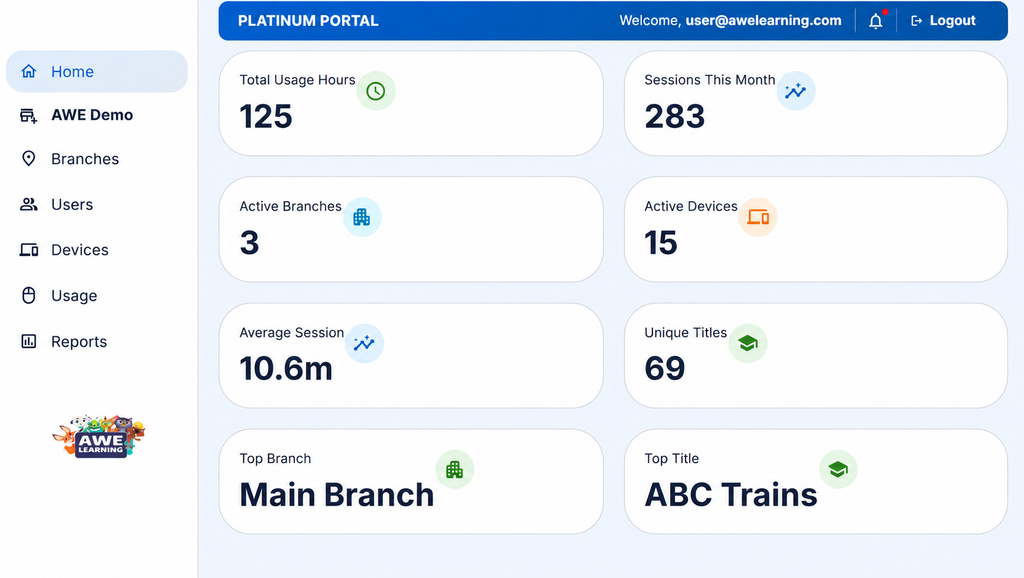
Start with a question your staff already has
Before looking at your numbers, ask your team what they’d like to understand better. Maybe staff at the children’s desk have noticed that families look for the workstations after story time. Maybe a branch manager wants to know whether a recently relocated workstation is easier for families to find.
Choose one question and a date range that makes sense for it. If you moved a workstation, for example, compare a few weeks before and after the move. Consider what else changed during that time. A school break, a shift in library hours, or a special event could affect activity, too.
Then talk through what you found with the staff who work in that area. If use increased after the move, they might be able to explain what made the difference: families can now see the workstation as they enter the children’s area, or staff have an easier time pointing it out to new visitors. That conversation can help you decide whether to try a similar change at another branch.
Connect popular activities with the rest of the library
A popular title can give you a starting point for a display or program. If children often choose an animal activity, set out a few related picture books and nonfiction titles nearby. If they gravitate toward pattern games, try putting out blocks or craft materials so they can make their own patterns away from the screen.
The connection can be as simple as something a staff member says: “If you liked that activity, we have a book about it right over here.” You don’t need to build an entire program around a workstation to make it part of a broader library experience.
You can also work in the other direction. If you’re already planning a family science event, pick an AWE activity that fits the theme and invite families to try it during their next visit. That gives children a way to keep exploring an interest after the program ends.
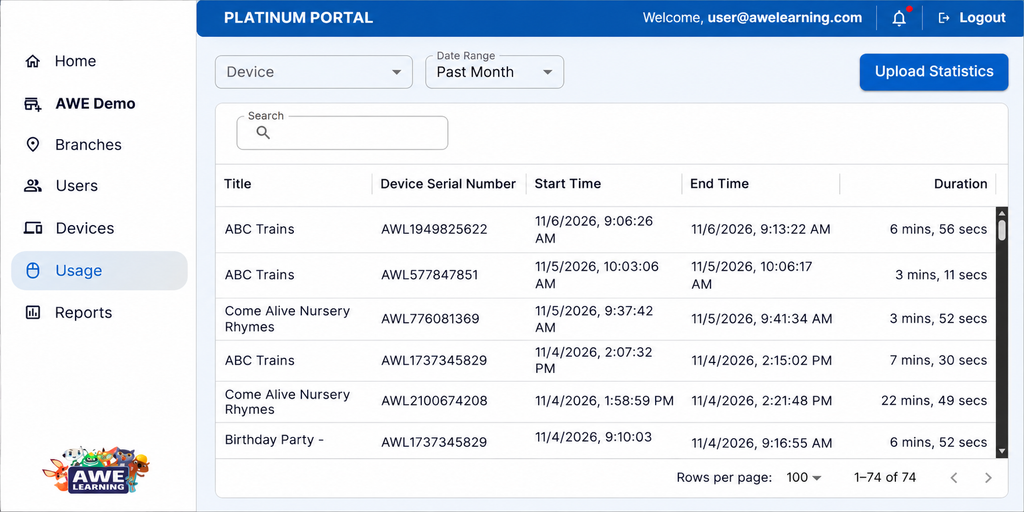
Give your board a clearer picture of workstation use
When you’re preparing a board packet or an annual report, a usage figure is most helpful when readers know what it represents. Name the branch, the reporting period, and the measure you’re sharing. Then add one example of what staff observed.
For instance, if you’re reporting on a fall reading program, you could pair workstation activity from the program dates with a staff observation about families moving from a related digital activity to a book display. That gives decision-makers a concrete picture of how the resource was used alongside services they already know.
Usage statistics can show that people are using a resource, how often they use it, and which activities they choose when that information is available. They don’t tell you on their own what a child learned or whether a workstation led to more checkouts. Staff observations and family feedback can help you explain what the numbers show and what you still want to learn.
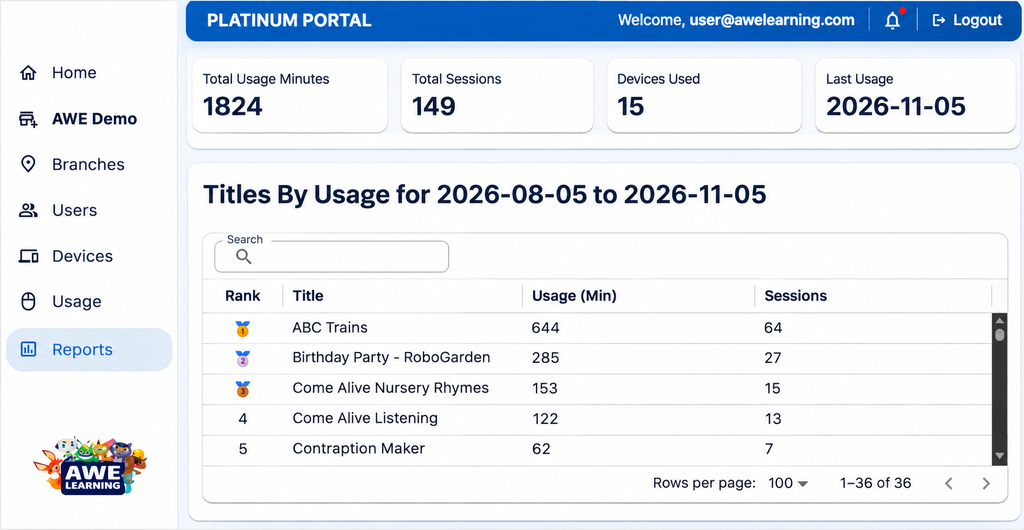
Use what you learn to plan next year’s budget
Start with a simple inventory: which workstations you have, where they’re located, and what you know about their software versions and warranty status. Then look at that list alongside usage and staff observations.
An older workstation with steady use may be worth prioritizing for replacement. If families regularly wait for a turn at one branch, staff observations can help you decide whether an additional workstation would address that demand. At a branch where use is lower than expected, a location change, clearer signage, or a connection to an existing children’s program might be a better first step.
This gives you a specific reason for each budget request. You can explain what staff are seeing, what the available information supports, and why a proposed change makes sense for that branch.
Coming in December: The Platinum Customer Portal
The Platinum Customer Portal launches this December. Eligible customers will be able to review workstation details, explore usage statistics, and download reports in one place.
Before launch, pick one question you’d like to answer when you first sign in. If you’re preparing a board update, you might start with: How were our workstations used during our fall reading program? Write down the program dates and which workstations you want to review. When the portal opens, you’ll have a clear starting point for looking at usage and preparing a report to share.
Exploring Platinum Version 4?
If your review points to replacing an older workstation or adding one at a busy branch, explore Platinum Version 4 through our Bundle Up & Save year-end promotion. Your AWE Learning representative can help you compare configurations, confirm portal eligibility for your workstations, and find an option that fits your library’s needs and budget.
Enjoy our blog? Subscribe here to receive our quarterly newsletter featuring a new blog directly in your inbox!
Learn more about AWE Learning with your local representative to explore your options.
info@awelearning.com (610) 833-6400
